
Name-Based Case Searches
Type the full name as it appears in the case file. Common surnames, spelling variants, and business names will pull up multiple candidates, so plan to sort through them. iDocket's FAQ notes that advanced search lets you combine a party name with court, case type or offense, filing or disposition dates, and attorney. Expect some of those advanced tools to carry a fee.
- Open iDocket from the official Jim Wells County Clerk page so the vendor context is clear.
- Sign in or create an account, then select the Jim Wells District Clerk or County Clerk row that fits the case.
- Enter the name carefully and narrow it with a court, case type, or date range when those controls are available.
- Compare the case number, style, court, filing date, and status rather than relying on the name alone.
- Contact the responsible clerk when the result is uncertain, restricted, or missing.
No cause number? Call the District Clerk at 361-668-5717, option 6, for a District Court docket search by name. For probate, county criminal, or other county court records, the County Clerk handles those questions at 361-668-5702.
Jim Wells iDocket Login Gate
The county's named search route does not greet you with an open query form. Instead, a sign-in screen asks for a User Id and Password. Links there cover registration, password help, support, county coverage, plans, and FAQs. The vendor also posts a warning worth noting. It runs independently. It does not guarantee that its data is complete, timely, or accurate.
| Control | What appears on the portal |
|---|---|
| User Id | Text entry on the sign-in landing page |
| Password | Masked password entry |
| Sign In | Button that submits the account credentials |
| Account help | Forgot Password, Subscribe, Support, Counties, Plans, and FAQ links |
Registration runs longer than most sign-up forms. You supply a name, address, city, state, ZIP code, country, phone, account type, county of interest, user name, email with confirmation, and a verification code. Company is optional. The form also shows an attorney bar number marker and a calendar preference, so confirm whether those apply to you while signing up. Activation arrives by email, and the vendor states that unauthorized access is monitored. The iDocket sign-in source lays out that gate directly.
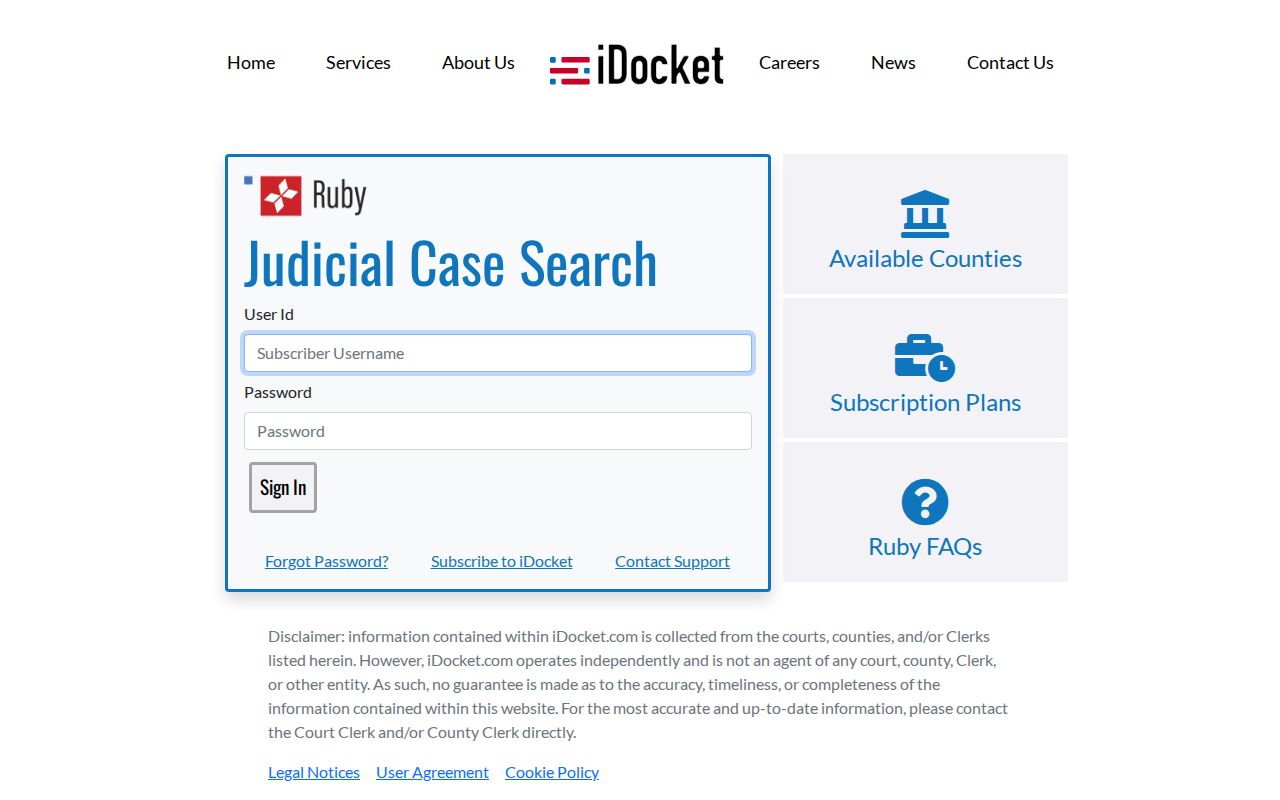
That screen is exactly why a Jim Wells County docket search plan needs a clerk fallback. Logging in successfully still does not promise that a restricted case or every document image will be visible. Keep the District Clerk and County Clerk phone routes handy before paying for a broader search.
Case Number Searches
A cause number is the strongest search key. It points to one file. That beats digging through every party that shares a similar name. Copy every letter, digit, space, and mark exactly. Match them as they appear on a citation, pleading, order, or clerk receipt. The official samples show a Cause Number field. But no single format fits every Jim Wells County court. Keep the identifier as printed, such as CAUSE NUMBER AS FILED. Never convert a ticket number into a district cause number.
Pick the correct clerk row before you search. District Court records go through the District Clerk. So do civil and family matters assigned to the County Court at Law under local rules. County, probate, and county-level index records go through the County Clerk. Justice and municipal citation numbers stay with their named lower court.
Two Jim Wells County Search Rows
iDocket splits Jim Wells County into two rows. On its September 3, 2026 snapshot, the District row held 54,486 total records. That count included 9,295 criminal and 45,187 civil, and images were marked yes. The County row was smaller, at 7,145 total records. It broke down into 5,804 criminal, 385 civil, and 956 probate. Images were marked no. Treat these as vendor-maintained counts. They are not live official caseload totals for the court. The county coverage table publishes those figures directly.
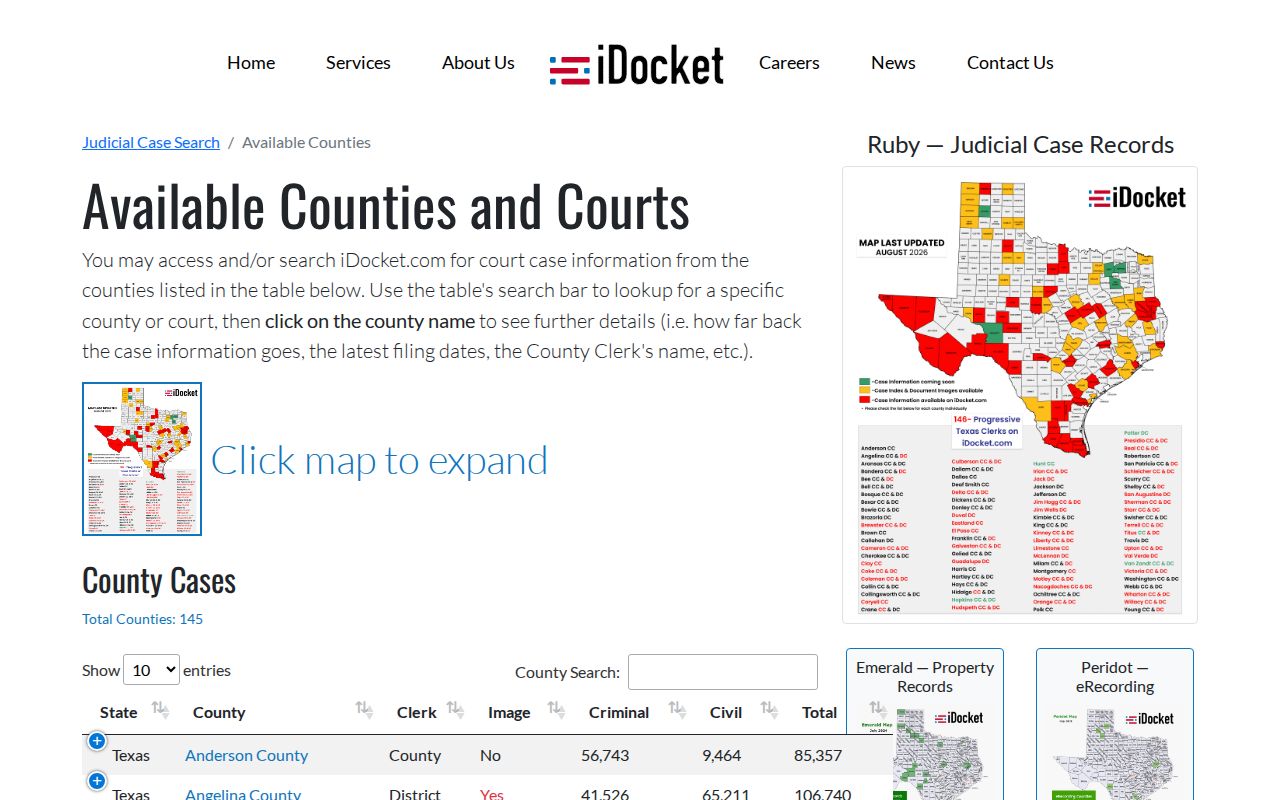
Those two rows prove a point. Choosing a clerk is part of the search itself, not a detail to settle after a match.
Case Search Results Explained
An iDocket result can surface far more than a name. Per the vendor FAQ, a result may include case number, parties, filing and disposition dates, case type, court, attorneys, bondsman, offense or type, filed documents, notifications, subpoenas, costs, fines, fees, and payments. Its paid case-history log can add motions, orders, citations, answers, actions, costs, payments, and ledger entries.
| Case number | The file identifier used by the clerk and court. |
|---|---|
| Case style | The caption naming the sides; confirm it with court and filing date. |
| Court and type | The court assignment and broad civil, criminal, family, or probate category. |
| Filed and disposed | Dates recorded by the source; disposition date does not explain the ruling by itself. |
| History and documents | Event entries and possible images, subject to participation, access, and fees. |
A docket result is not a certified copy. When you need exact proof, request the underlying order or judgment from the clerk who maintains it.
Jim Wells Search Modes and Costs
iDocket separates basic index access from premium searches, history, subscriptions, and document images. A free landing page does not mean every query or image costs nothing. Image access also varies by clerk row, with District marked yes and County marked no. The vendor's search-mode explanation covers category, attorney, court, and date searches.
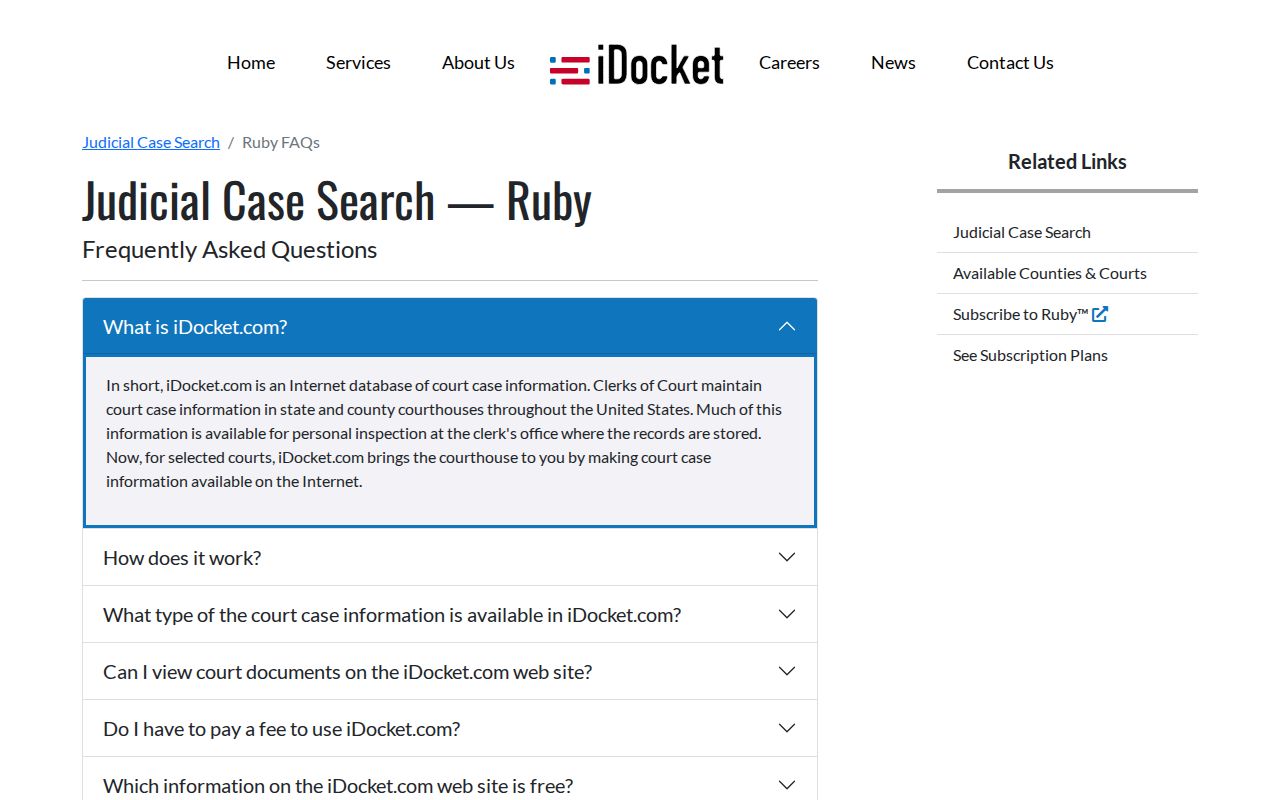
That split tells you when a direct clerk request beats a paid portal feature. The subscription and CHIPS page gives the vendor's current plan context.
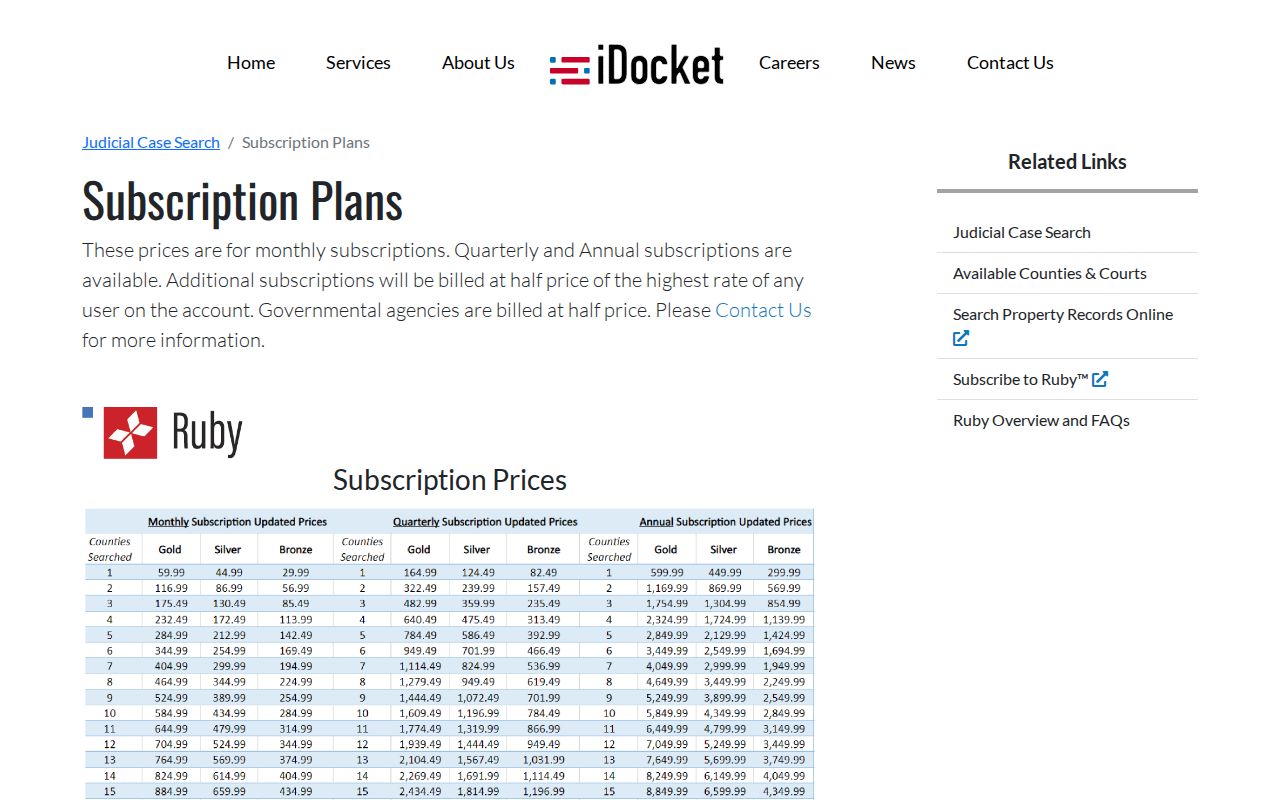
Vendor charges are separate from statutory clerk search, copy, and certification fees.
Two Ways to Search: County and State
Jim Wells County's official clerk pages point the public to iDocket. Texas also runs re:SearchTX, a statewide case-search project, and a state report described a November 1, 2025 integration direction. No live Jim Wells public result there is promised yet, so treat it as a fallback rather than a replacement.
| Route | Use | Caution |
|---|---|---|
| Jim Wells iDocket | County-linked District and County Clerk index rows | Login, paid features, and different image flags |
| re:SearchTX | Possible statewide search layer | Jim Wells public coverage not independently verified |
| Clerk request | Missing cases, copies, certification, and file questions | Choose District Clerk or County Clerk correctly |
Federal cases take neither index. Use PACER and the Southern District of Texas Corpus Christi Division.
When Jim Wells Search Finds Nothing
A blank result is not proof of anything. The case may still sit in a Jim Wells County court file. It may just carry a slightly different name. Try a new spelling, flip the name order, or drop a tight date range and search the whole docket again. The exact cause number, if you have one, cuts through most guesswork.
Use the clerk fallback: Identify the court, record product, date range, and delivery preference before calling or visiting.
The District Clerk says electronic document requests and searches use eFileTexas and copies are sent by email; call when the cause number is unknown.
Which Cases Stay Restricted
Some case types stay restricted. Sealed files, juvenile matters, and expunction-related material can be withheld or redacted. A case may appear on the public docket. Its document images may stay unavailable. Family and probate cases often hold sensitive details even when some entries are public. The court and governing law control access. A vendor row on a docket site does not.
Texas Judiciary guidance separates judicial records under Rule 12. Case records are governed instead by court rules, statutes, and common law. Chapter 552 of the Texas Government Code also leaves the judiciary outside its ordinary public-information coverage. So a general open-records request is not automatic access to a court case. Ask the maintaining clerk about the specific file instead.
Verify Jim Wells Docket Results
Treat a Jim Wells County docket search as a pointer, not a verdict. Confirm the court, cause number, case style, case type, and filing date. The latest entry should reveal the next setting or a relevant order. Portal data can lag. It can run thin. A payment entry alone tells you nothing final about the case.